






VisionPlayer
The VisionPlayer by alphanull is a highly modular, lightweight, and feature-rich JavaScript media player for the modern web. Designed as a flexible component system, the player allows for deep customization, simple integration, and full control over both appearance and functionality. Whether you're building a minimal player for a single video or a complex interface supporting multilingual, multi-quality streaming with overlays and playlist management — this player adapts to your needs.
Features
🎉 MAJOR UPDATE 🎉 VisionPlayer 1.3 introduces a new multi-engine architecture with added YouTube and Vimeo support, along with significant improvements including state preservation when switching media, enhanced third-party script loading, a completely refactored ChromeCast component, support for the Media Session, Orientation & Wake Lock APIs and more. For further information about the new engine architecture, see the Engines documentation.
- Fully modular architecture — Components can be easily added, removed, or replaced without modifying the core, with nearly 50 components already provided.
- Multi-Engine Support — Pluggable engines with capability-based selection and runtime switching.
- Native HTML5 video support — Plays MP4, WebM, and other browser-supported formats.
- Multi-language and multi-quality stream selection — Each stream can offer multiple languages, resolutions, and encodings. Quality can be automatically selected depending on screen resolution.
- Streaming support — DASH and HLS support, both VOD and Live Streaming, fully integrated into the player UI including subtitles, audio and quality selection.
- FairPlay, Widevine, and PlayReady DRM — Encrypted media playback for premium content.
- Chromecast and AirPlay — External device playback handling with full UI synchronization.
- External Providers — Built-in engines for YouTube and Vimeo alongside native playback.
- Playback Controls — Play/pause, scrubber, volume, playback rate, fullscreen, loop and more.
- Playlist Management — Seamless navigation between multiple media items, with optional shuffle and loop modes.
- Subtitle support — WebVTT rendering with support for positioning, all writing modes and built in HTML sanitiser, TTML (IMSC1/EBU-TT-D) handling, and native
<track>integration for iOS compatibility. - Dynamic Overlays — Posters, images and other content at defined cue points.
- Thumbnails — Display thumbnails in the scrubber tooltip or use them for a special scrubbing mode.
- Chapters — Display Chapters in the controller or scrubber tooltip.
- Picture-in-Picture — Play video in a separate overlay window.
- Picture and Audio Controls — Adjust video brightness, contrast, and more, or fine-tune your audio with a multiband equalizer.
- Advanced Accessibility — Comprehensive accessibility features including Picture & Audio Controls for visual/auditory impairments, keyboard navigation, and screen reader support.
- Advanced System Integration: Wakelock prevents screen from dimming down while playing. Media Session support for system media controls, including artwork and playlists.
- Local playback — Play local media by selecting or dragging and dropping files.
- Audio and Video Visualizations — Including bar visualizer, ambient light effects, and waveform displays.
- Extensive Media Data Format — With support for extensible metadata and multiple media variants, representations, and encodings.
- Extended Localization — Builds includes the following out‑of‑the‑box UI translations: English, German, Spanish, Portuguese, French, Italian, Russian, Chinese (Simplified), Japanese, Korean, Hindi, Arabic & Turkish.
- Scalable, responsive UI — UI intelligently adapts to every player size, UI scale factor is dynamically changeable by the user.
- Theme support — Built-in dark and light modes, with CSS custom properties for full theming flexibility.
- Easy Embedding — Supports converting existing video tags and any other elements with
data-vipattributes, optionally with autoloading. - Minimal global footprint — Only one exported class (
VisionPlayer), with everything else modular and encapsulated. - Single, zero dependency bundle File — VisionPlayer bundles all code, styles, SVG assets and language files into a zero-dependency single build artifact – making integration seamless.
- Optimized Performance — GPU-accelerated transitions, minimal reflows, and efficient DOM updates.
- Security Features — Optional Secure Mode with Shadow DOM, API protection and XSS prevention.
- 1-Minute Setup — Get from
npm installto working demo in under 60 seconds with vite dev server.
Screenshot
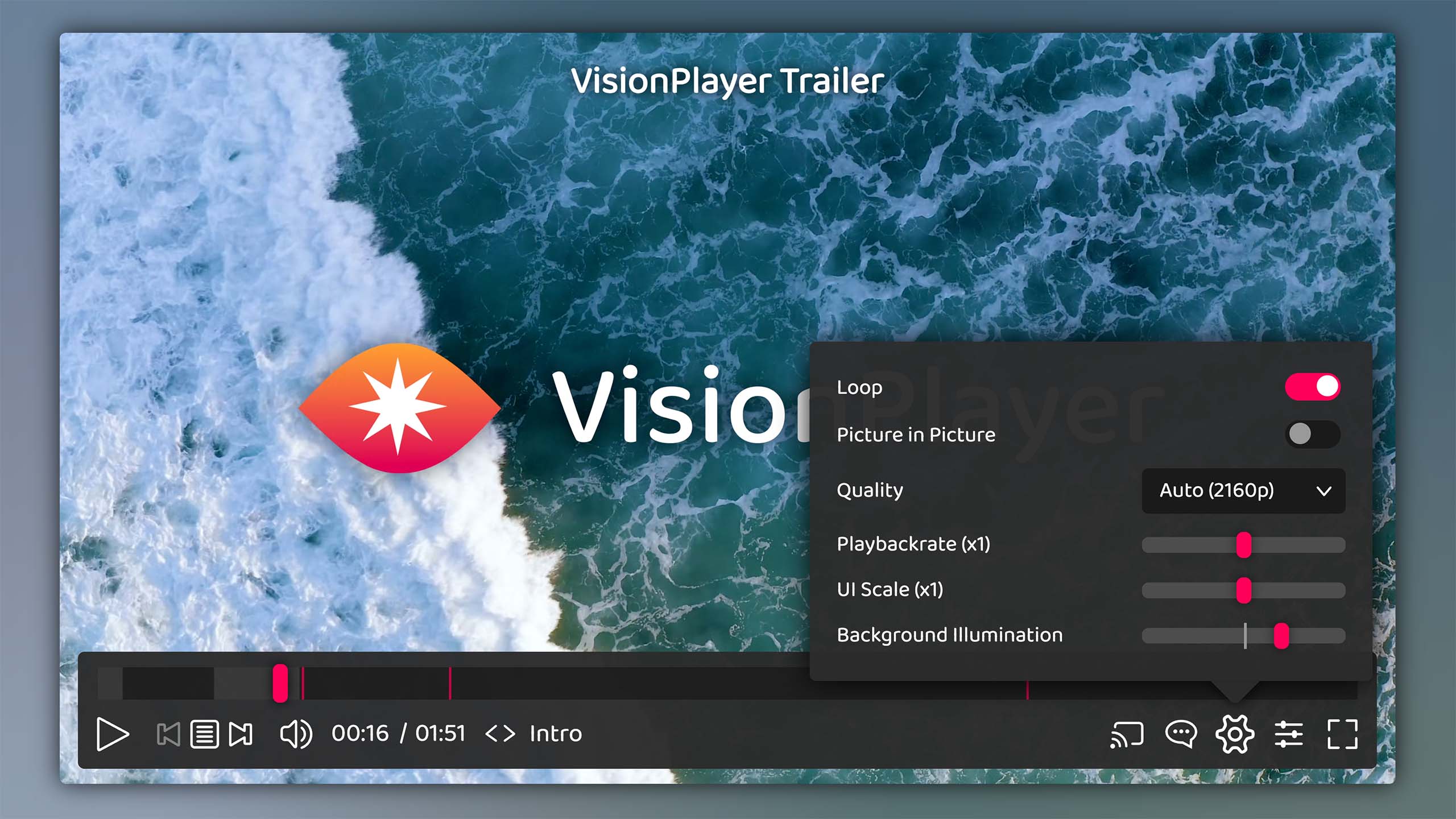
Demo
Just hop over to visionplayer.io to take a test drive or watch some feature demos. The documentation is also available there.
Installation
Install using npm
npm install @alphanull/visionplayer
Import
import VisionPlayer from '@alphanull/visionplayer'; // Default - full feature set
import VisionPlayerBasic from '@alphanull/visionplayer/basic'; // Basic - core features only
import VisionPlayerHeadless from '@alphanull/visionplayer/headless'; // Headless - no UI components
import VisionPlayerSecure from '@alphanull/visionplayer/secure'; // Secure - maximum security features
This imports the .mjs versions (found in /dist/mjs). Those act as as modules, exporting the main VisionPlayer class. These build versions are not minified - assuming you will do this yourself in the build process - and also include source maps for easier debugging, if necessary. Importing this way is optimal if you want to incorporate the player as a single packaged module in your own code.
Use as script
To directly embed the player using a <script> tag, use either the .js Version of the build (found in /dist/js). This version is minified and self executing, exposing a global window.VisionPlayer object. Or, just include the file directly from a CDN:
<script src="/dist/js/VisionPlayer.min.js"></script> <!-- default build -->
<script src="https://unpkg.com/@alphanull/visionplayer@1/dist/VisionPlayer.basic.min.js"></script> <!-- basic build -->
<script src="https://cdn.jsdelivr.net/npm/@alphanull/visionplayer@1/dist/VisionPlayer.secure.min.js"></script> <!-- secure build -->
For full setup instructions, see the Setup Documentation.
Examples
Basic usage
import VisionPlayer from '@alphanull/visionplayer';
new VisionPlayer(document.body, '/path/to/media.mp4');
Or via script tag and autoload:
<script data-vip-autoload src="/dist/js/VisionPlayer.min.js"></script>
<video data-vision-player controls src="/path/to/media.mp4"></video>
With mediaData object
const mediaData = {
    title: 'My Video',
    src: '/path/to/media.mp4'
};

new VisionPlayer(target, mediaData);
With custom playerConfig
const playerConfig = {
    ui: {
        autoHide: false
    }
};

new VisionPlayer(target, mediaData, playerConfig);
Documentation
Additional docs cover the following topics:
- Setup
- Media Data Format
- Configuration
- API
- Components
- Engines
- Accessibility
- Security
- Shadow Dom
- Developing for VisionPlayer
In addition, a detailed JSDoc documentation covering all modules and their methods, members and events can be generated using npm run doc, which then will reside in /docs/jsdoc. This generated documentation can also be accessed via the microsite: VisionPlayer JSDoc
Browser Support
VisionPlayer supports all major browsers on all platforms (i.e. macOS, iOS, Windows, Android & Linux) released since ~2019-2020 and later, including Chrome (v79+), Firefox (v75+) and Safari (v13+). Note: The Secure Build requires native ES2022 support.
Known Issues
Despite best efforts to make the VisionPlayer a perfect experience there are some known issues which can not be resolved (yet). For a list of current issues, see the Know Issues Page.
License
Copyright © 2025–present Frank Kudermann @ alphanull.de